MetalTrack:Time keeps the timeclock simple so you can focus on the work, not the software.
Install the free MetalTrack:Time app on an iPad, or open our page in any browser on an Android tablet. It becomes your wall-mounted time clock. No proprietary hardware to buy.
Hours flow into QuickBooks Online as Time Activities automatically. No re-typing timesheets, ever.
Works with QuickBooks Online Plus or Advanced.
If your Wi-Fi drops, the kiosk queues punches and syncs them the moment it's back, so nobody loses a clock-in.
Pair a new tablet in seconds, rename it, or revoke it instantly if one goes missing.
Assign clock numbers once. Everything else stays in sync with QuickBooks Online automatically.
No IT department, no long contracts, no bloated software. Get set up and get back to work.
Real screenshots from the owner's dashboard. click around it yourself →
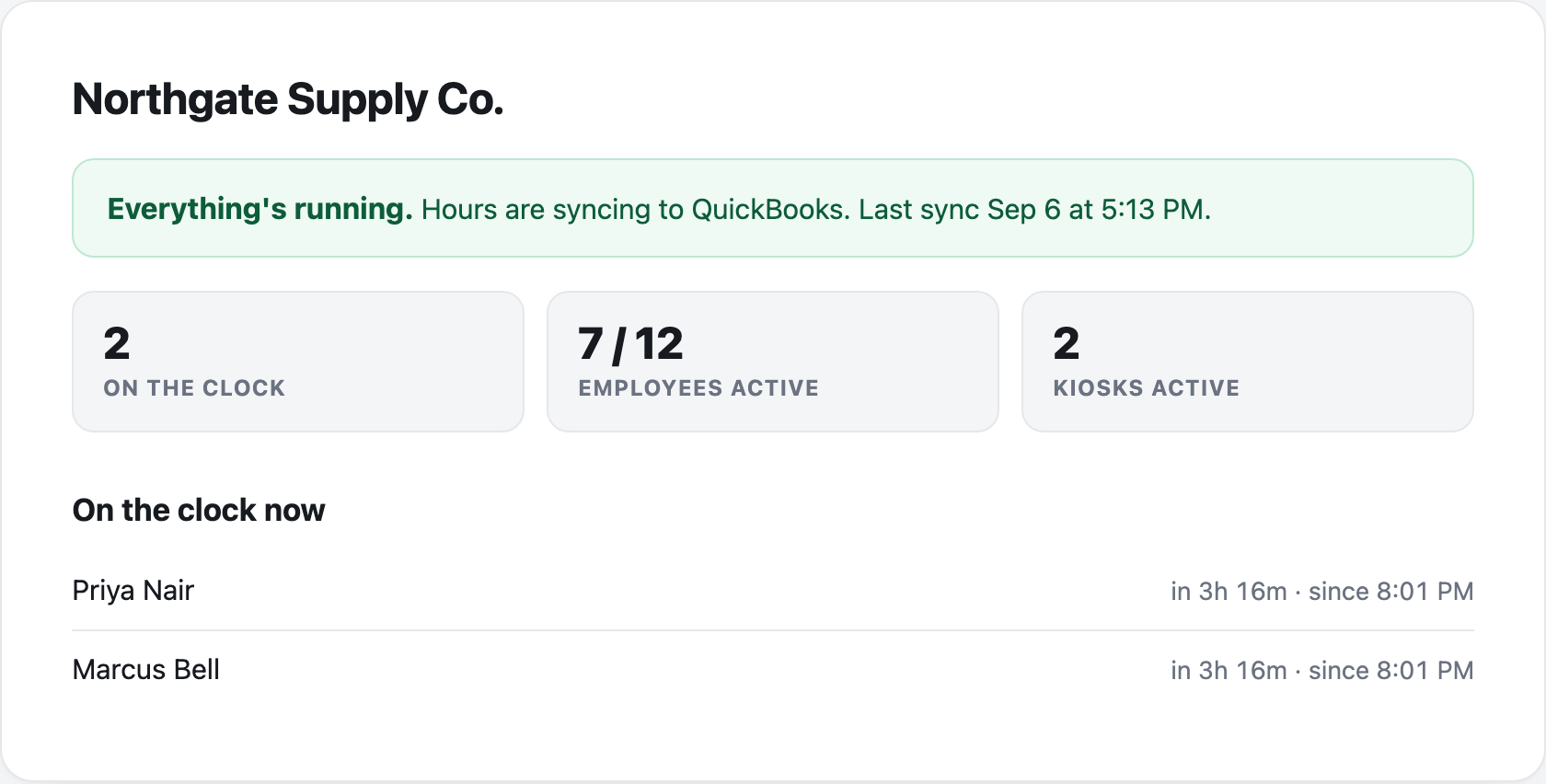
See who's on the clock. One screen shows every active employee, right now.
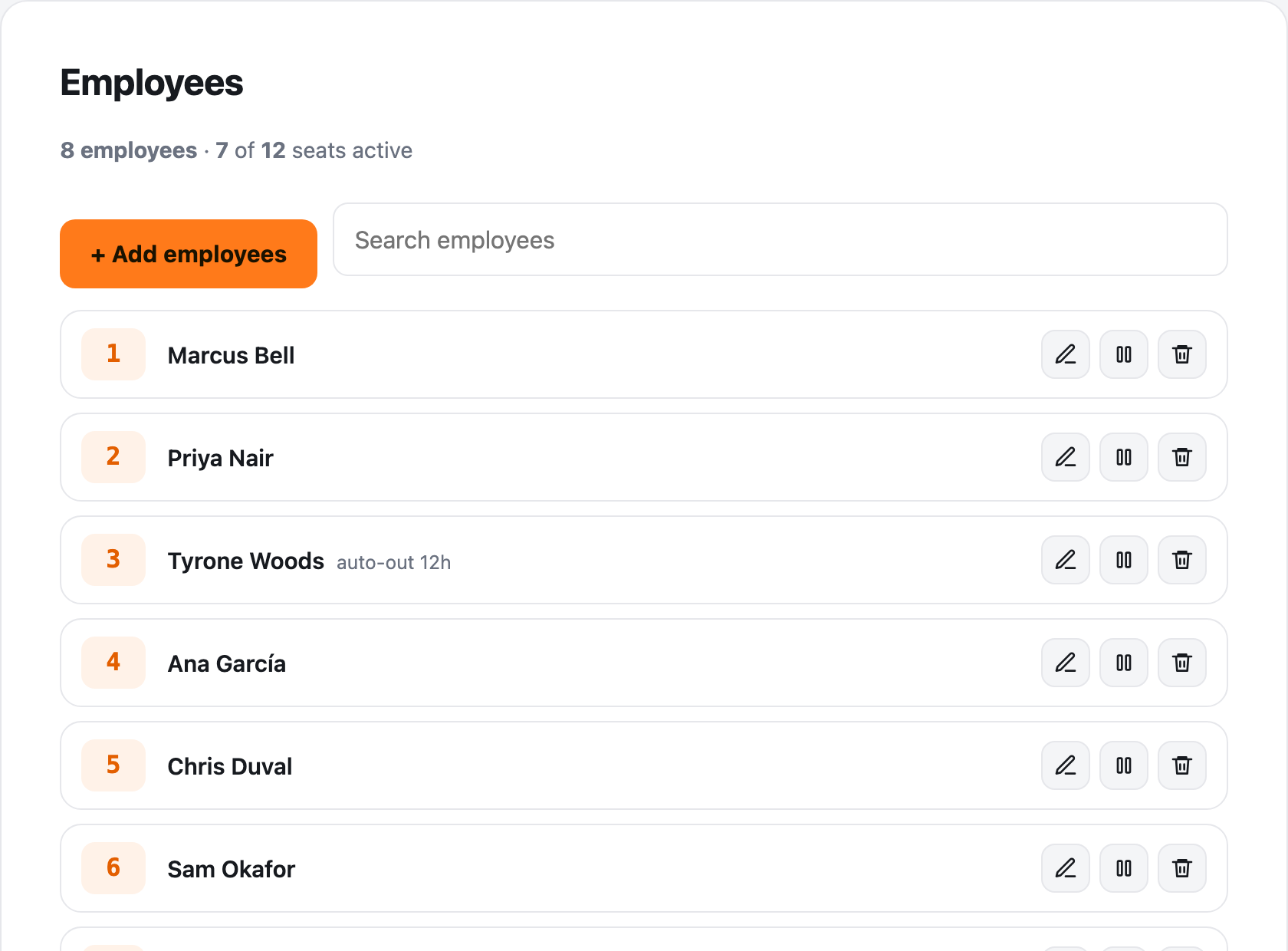
Manage your whole team. Add employees, remove them, or raise your seat count. All in one place.
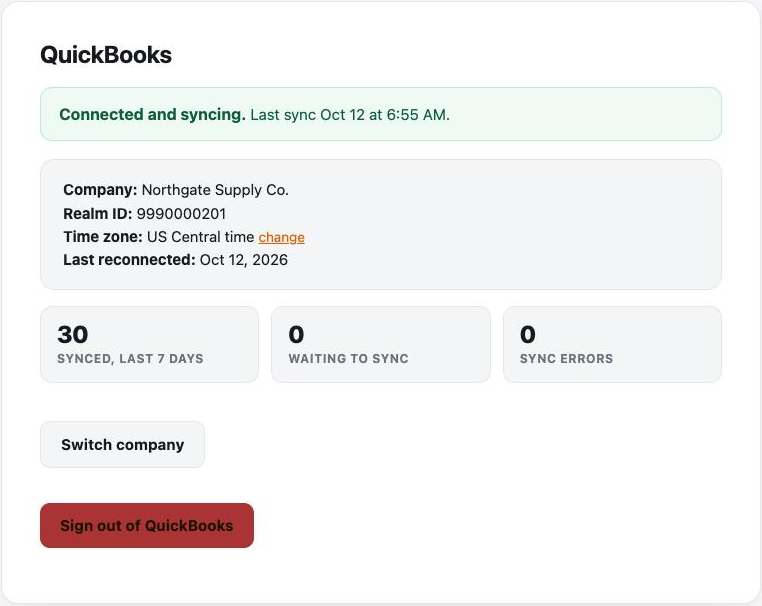
Always know your QuickBooks status. Connected, syncing, or needs attention. It's clear at a glance.
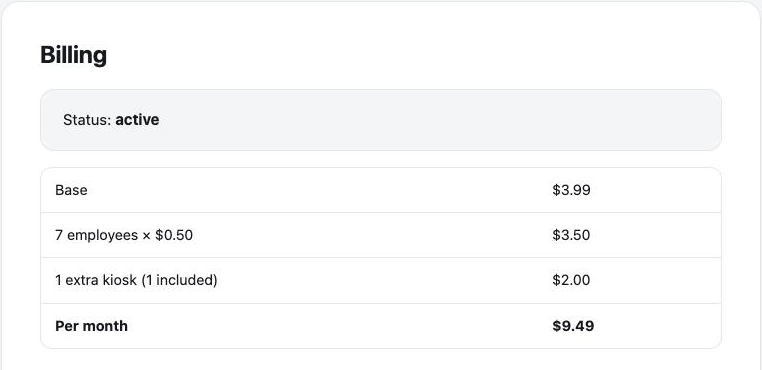
Understand your bill. Every line is spelled out. No surprise charges.
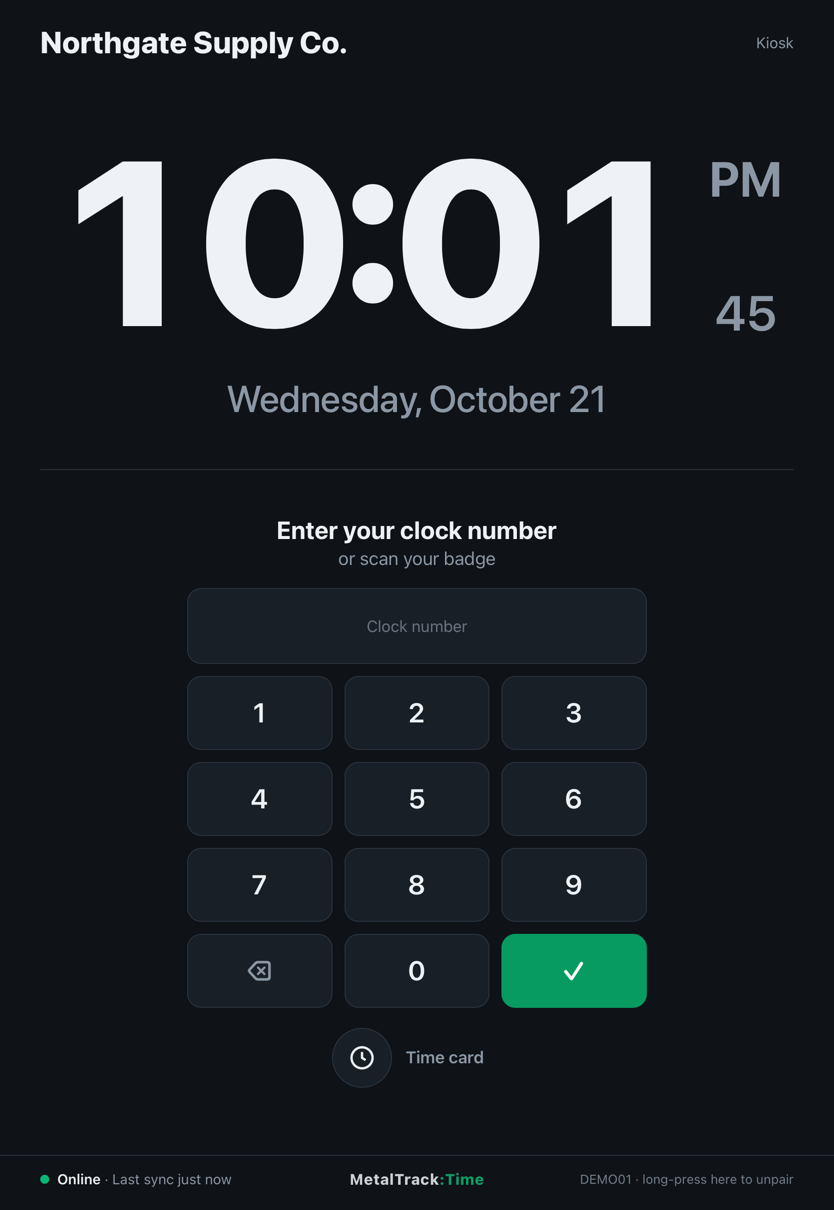
Run the clock on a tablet you already own, or buy a purpose built device once. Either way your team taps the same simple screen to punch in.
Bring your own tablet
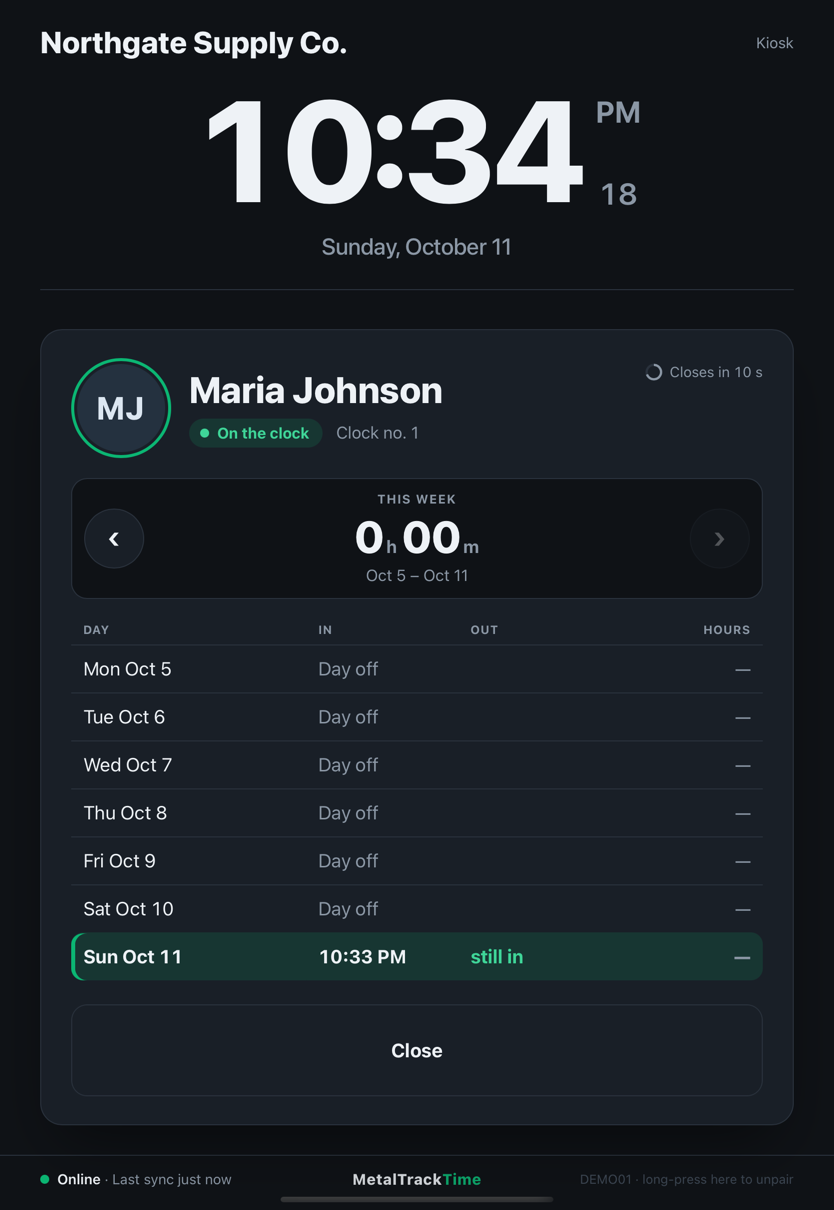
On an iPad, install the free MetalTrack:Time app from the App Store. On an Android tablet, open our page in any browser. Either way you enter your Business ID and a pairing code and the tablet goes live. No account for the tablet, no cables past power. Set it on the front counter or mount it by the door and you are running.
1 included in your plan. $2.00/mo for each additional one.
The MetalTrack:Time app on an iPad: the keypad, and a time card.
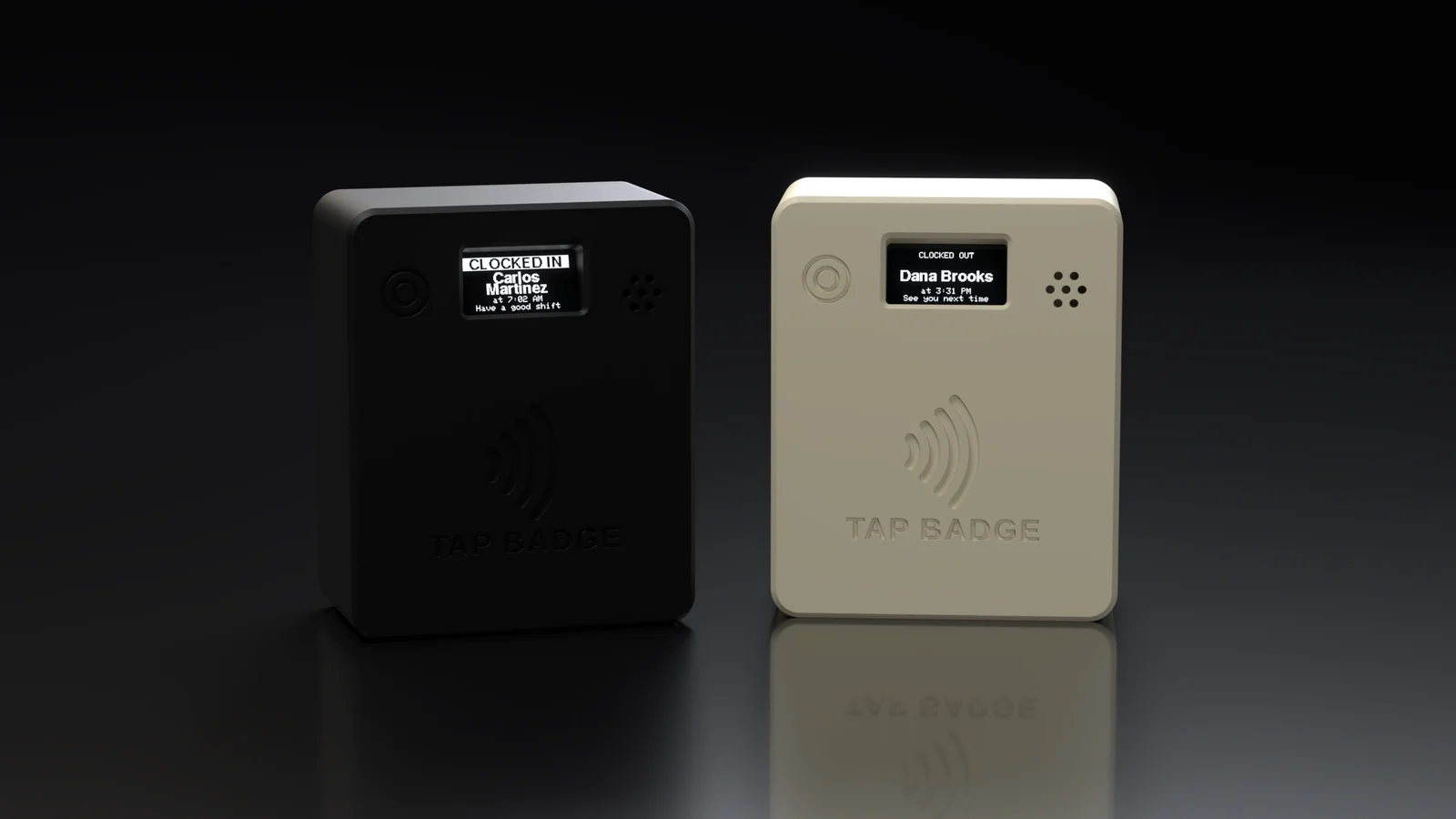
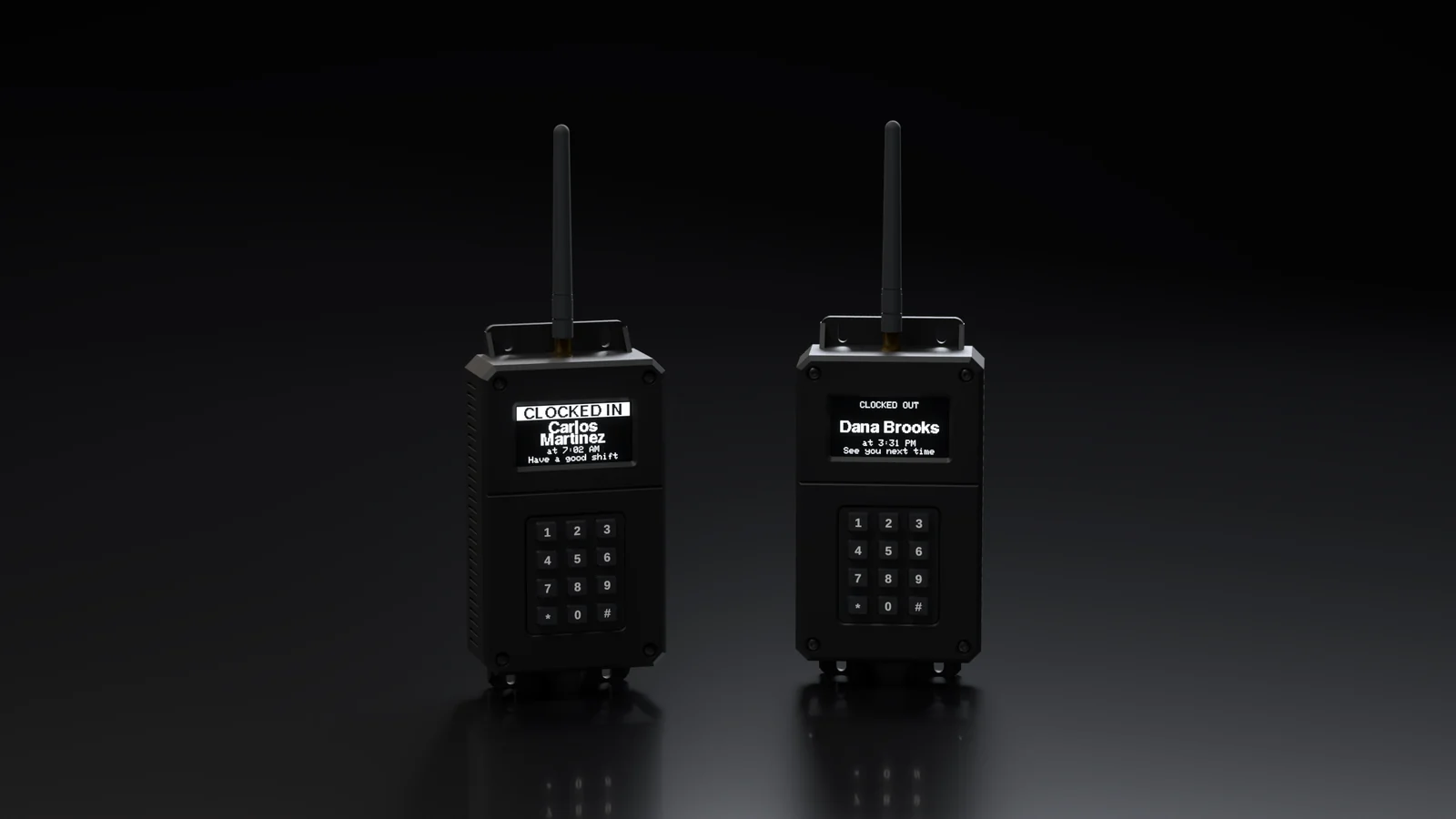
Want a more traditional hardware kiosk? Two purpose-built devices you buy once, with no monthly fee for either.
Hardware kiosk
Hardware kiosk
Security isn't an afterthought. It's built into every layer, from the tablet to the server.
Sensitive information is encrypted, both while it travels and while it's stored.
Your business's data is kept separate from every other account on the platform, always.
Every kiosk tablet is individually authorized, and every request it makes is checked before it's accepted.
Add an extra layer of protection to your account login, in addition to your password.
Firewalled servers, automatic security patching, and ongoing monitoring behind the scenes.
Every connection to MetalTrack:Time, from browser or kiosk, is encrypted end to end.
MetalTrack:Time posts hours as QuickBooks time activities, so your QuickBooks plan has to include time tracking. That means QuickBooks Online Plus or Advanced. Simple Start and Essentials don't include time tracking, and QuickBooks Desktop isn't supported, because this connects to QuickBooks Online.
Not sure which plan you're on? In QuickBooks go to Settings → Subscriptions and billing. If you're on Simple Start or Essentials you'd need to upgrade before your hours could post.
Try the kiosk demo, or start a free trial today.